QlikView System Administrator Certification Practice Test


Exam Name: QlikView System Administrator
Exam Format: Multiple-choice- scenario-based questions
Number of Questions: ~40-60 questions
Duration: ~60-90 minutes (varies by exam version)
Passing Score: ~70-75% (varies)
Delivery Method: Online proctored or at a Pearson VUE test center
1. QlikView Architecture and Components
- QlikView Server Architecture: Understanding the role of the QlikView Server- Publisher- and other components.
- QlikView Desktop vs. QlikView Server: Differences and use cases.
- QlikView Services:
- QlikView Distribution Service (QDS)
- QlikView Management Service (QMS)
- QlikView Web Server (IIS/Apache integration)
- Repository: Storage of metadata- security rules- and document settings.
- Cluster Services: Scalability and high availability configurations.
- QMC (QlikView Management Console) – Web-based admin interface for managing QlikView deployments.
- QVS (QlikView Server) – Core service for serving QlikView documents.
- QDS (QlikView Distribution Service) – Handles scheduled reloads and distribution.
- QVP (QlikView Publisher) – Manages task distribution and reloads.
- DSC (Document Storage Container) – Stores QVW files in a clustered environment.
2. Installation and Configuration
- System Requirements: Hardware- software- and OS compatibility.
- Installation Modes: Standalone- distributed- and clustered setups.
- License Management: Types of licenses (Named- CAL- Document- etc.).
- Port Configuration: Default and custom ports (4747- 4799- 80/443).
- Security Configuration: HTTPS setup- certificate management.
- Load Balancing: Configuring for high availability.
- CAL (Client Access License) – Types: Professional- Analyzer- User- Session.
- FQDN (Fully Qualified Domain Name) – Required for proper clustering.
- Service Principal Name (SPN) – Used for Kerberos authentication.
- QlikView Cluster – Multiple QVS instances working together.
3. Security and Authentication
- Authentication Methods:
- Windows Integrated (NTLM- Kerberos)
- Header-based (Proxy- SAML- LDAP)
- DMS (Directory Services Connector)
- Section Access: Dynamic data reduction based on user roles.
- Security Rules: Managing access in QMC (folders- streams- documents).
- Audit Logging: Tracking user activities and system changes.
- Data Security: Row-level security- document-level security.
- Section Access – Script-based security for row-level restrictions.
- DMS (Directory Services Connector) – Syncs AD/LDAP with QlikView.
- NTFS Permissions – File-level security for QVW documents.
- JWT (JSON Web Token) – Used in modern authentication flows.
4. Server Management and Optimization
- Task Management: Reload tasks- distribution tasks- and triggers.
- Performance Tuning:
- RAM optimization (Document Cache- RAM thresholds)
- CPU utilization (Multicore support)
- Logging and Monitoring:
- QlikView logs (Server- Publisher- DSC)
- Performance counters (CPU- memory- disk I/O)
- Scaling Strategies: Vertical vs. horizontal scaling.
- Backup and Recovery: Disaster recovery planning.
- Document Cache – Stores frequently accessed QVWs in memory.
- RAM Peak – Maximum memory usage before unloading documents.
- QlikView Scheduler – Manages reload tasks.
- QlikView Scalability Services (QSS) – Enables clustering.
5. Deployment and Distribution
- QlikView Publisher: Configuring distribution tasks.
- Reload Triggers: Time-based- event-based- or dependency-based.
- Distribution Methods: Email- file system- FTP- and SharePoint.
- Delta Loads: Incremental data updates.
- QlikView Extensions: Customizing deployments.
- Delta Load – Partial reloads to update only new/changed data.
- QVX (QlikView Data Exchange) – Used for optimized data loads.
- Task Chains – Sequential execution of reload tasks.
- Static and Dynamic Recipients – Email distribution options.
6. Troubleshooting and Maintenance
- Common Errors: License issues- memory errors- connectivity problems.
- Log Analysis: Debugging using QlikView logs (Trace- Error- Audit).
- Recovery Procedures: Restoring corrupted documents/services.
- Patch Management: Applying updates and hotfixes.
- Support Resources: Qlik Community- Helpdesk- Knowledge Base.
- QlikView Diagnostic Tool (QDT) – Collects logs for troubleshooting.
- Memory Leak – Unreleased RAM causing performance issues.
- QVF (QlikView File Format) – Backup format for documents.
- Hotfix – Patch for specific bugs or vulnerabilities.
7. Integration with Other Systems
- Qlik Sense Integration: Co-existing with QlikView.
- Database Connectivity: ODBC- OLE DB- REST APIs.
- Cloud Deployments: AWS- Azure- or hybrid setups.
- Third-Party Tools: PowerShell scripting- monitoring tools (Splunk- Nagios).
- ODBC (Open Database Connectivity) – Standard database connection.
- REST API – Used for automation and integrations.
- Hybrid Deployment – Mix of on-premise and cloud hosting.

QlikView System Administrator MCQs
QlikView System Administrator TestPrep
QlikView System Administrator Study Guide
QlikView System Administrator Practice Test
QlikView System Administrator Exam Questions
killexams.com
QlikView
QlikView System Administrator
QlikView System Administrator Certification 2026
https://killexams.com/pass4sure/exam-detail/QlikView-System-Administrator
Question: 611
What are the recommended steps for applying a QlikView hotfix or update to ensure a
smooth patch management process?
A. Review the release notes for compatibility with existing configurations
B. Backup the current QlikView installation and all related documents
C. Directly download and install the latest update without prior checks
D. Test the update in a staging environment before applying it to production
Answer: A, B, D
Explanation: Reviewing release notes and backing up the system are crucial steps before
applying updates. Testing in a staging environment helps identify potential issues before
they affect production.
Question: 612
What configuration must be made in the QlikView Management Console to enable users
to access applications via a secure connection, thus ensuring data integrity during
transmission?
A. Enable HTTP access only
B. Require SSL for all user connections
C. Disable anonymous access
D. Limit access based on IP addresses
Answer: B
Explanation: Requiring SSL for all user connections ensures that data integrity is
maintained during transmission, providing a secure environment for users accessing
applications.
Question: 613
What command is used to perform a delta load in QlikView, ensuring only updated data
is pulled from the source?
A. UPDATE FROM
B. LOAD * WHERE Timestamp > LastReloadTime
C. ADD TO FROM
D. INSERT INTO SELECT * FROM WHERE UpdatedDate > LastReloadTime
Answer: B, D
Explanation: Delta loading efficiently retrieves only the records that have changed since
the last reload, using timestamps or similar methods for filtering.
Question: 614
What is the maximum number of supported nodes in a QlikView server cluster for load
balancing, and what is the primary factor that limits this number?
A. 5 nodes, limited by licensing constraints
B. 10 nodes, constrained by network bandwidth
C. 20 nodes, limited by hardware specifications
D. Unlimited nodes, constrained by server resource availability
Answer: C
Explanation: The maximum of 20 nodes is typically limited by hardware specifications,
which affect the overall performance and scalability of the QlikView server cluster.
Question: 615
In the context of QlikView monitoring, which of the following metrics should be
prioritized when using Splunk to track performance issues?
A. Average reload time per application.
B. Number of active users per application.
C. Frequency of log file rotation.
D. Peak CPU usage during data reloads.
Answer: A, B, D
Explanation: Average reload time, active user counts, and peak CPU usage are key
metrics for identifying performance issues in QlikView applications.
Question: 616
What are the key factors to consider when implementing DMS for syncing with Active
Directory in a QlikView environment?
A. The frequency of synchronization to keep user roles current.
B. The attributes to synchronize, ensuring they align with business needs.
C. The use of Windows security groups to manage permissions effectively.
D. The use of local accounts for users to bypass Active Directory.
Answer: A, B, C
Explanation: Key factors include the frequency of synchronization, the attributes being
synchronized, and the effective use of Windows security groups. Using local accounts to
bypass Active Directory is not a recommended practice.
Question: 617
Which configurations are relevant when setting up load balancing for QlikView servers to
ensure high availability and performance during peak usage?
A. Configuring session persistence to maintain user sessions on the same server for the
duration of their interaction.
B. Distributing user requests based on server load metrics to ensure no single server is
overwhelmed.
C. Implementing health checks to monitor server performance and automatically reroute
traffic from underperforming nodes.
D. Setting up alerts to notify administrators when server load exceeds predefined
thresholds.
Answer: A, B, C, D
Explanation: Load balancing setups should include session persistence, request
distribution based on load metrics, health checks for server performance, and alerts for
excessive server loads.
Question: 618
In the context of port configuration for QlikView, which ports are commonly used for
various services, and how can improper configuration affect system functionality?
A. Port 4747 is the default for communication between QlikView components and must
be open for proper operation.
B. Port 80 is used for HTTP traffic, while port 443 is utilized for HTTPS, requiring
appropriate firewall configurations.
C. Port 4799 is used for QlikView Distribution Service (QDS) and must be accessible for
scheduled tasks to function properly.
D. Configuring custom ports can enhance security but may require additional settings in
the QlikView Management Console.
Answer: A, B, C, D
Explanation: Port 4747 is vital for component communication, ports 80 and 443 handle
HTTP and HTTPS traffic respectively, and port 4799 is necessary for QDS operations.
Custom ports can improve security but require careful configuration.
Question: 619
In a complex QlikView deployment scenario, which practices can be adopted to ensure
effective user access control?
A. Implementing role-based access control (RBAC) for data and application access.
B. Regularly reviewing user permissions to align with organizational policy.
C. Allowing all users default access to all applications to simplify management.
D. Using section access in load scripts to restrict data visibility.
Answer: A, B, D
Explanation: Role-based access control, regular permission reviews, and section access
are essential practices for effective user access control; universal access is not a best
practice.
Question: 620
Which distribution methods are available in QlikView Publisher for delivering reports
and data?
A. Email distribution to send reports directly to users' inboxes.
B. FTP distribution to upload files to an external server for access.
C. File system distribution to save QVW files in a designated directory.
D. SharePoint distribution to publish documents directly to a SharePoint site.
Answer: A, B, C, D
Explanation: All listed methods are supported by QlikView Publisher for distributing
reports and data, including email, FTP, file system, and SharePoint, allowing for flexible
delivery options.
Question: 621
When planning a QlikView deployment that will serve a large number of users, which of
the following factors should be prioritized to enhance performance and ensure
scalability?
A. High-performance hardware specifications
B. Centralized data storage
C. Automated backup processes
D. Efficient load script design
Answer: A, D
Explanation: Prioritizing high-performance hardware specifications and efficient load
script design are essential for enhancing performance and ensuring scalability for a large
number of users in a QlikView deployment.
Question: 622
Which command can be used to reset the QlikView server configuration to default
settings?
A. QMS.exe -resetconfig
B. QV.exe -defaultconfig
C. QVS.exe -restoredefaults
D. QMS.exe -restoreconfig
Answer: D
Explanation: The QMS.exe -restoreconfig command resets the server configuration back
to default settings.
Question: 623
To configure logging levels in QlikView, which file must be edited to enable detailed
logging for the server?
A. QlikViewServer.exe.config
B. QlikViewManagementService.exe.config
C. QlikViewDistributionService.exe.config
D. QlikViewSettings.xml
Answer: A
Explanation: The QlikViewServer.exe.config file controls the logging levels for the
QlikView Server, allowing administrators to enable or modify detailed logging as
required.
Question: 624
In QlikView, which strategies should be applied to optimize disk I/O performance?
A. Use SSDs for storage to enhance read and write speeds.
B. Regularly defragment hard drives to maintain performance.
C. Monitor disk queue lengths to identify potential bottlenecks.
D. Increase the size of the log files to capture more detailed information.
Answer: A, B, C
Explanation: Optimizing disk I/O performance involves using SSDs for faster speeds,
regularly defragmenting hard drives, and monitoring disk queue lengths for bottlenecks.
Increasing log file size does not directly enhance disk I/O performance.
Question: 625
Which of the following authentication methods can be utilized in a QlikView
environment that supports SAML for single sign-on (SSO)?
A. Configure an Identity Provider (IdP) to handle SAML assertions.
B. Modify the QlikView settings file to include SAML configuration parameters.
C. Use the LDAP connector to authenticate users against Active Directory.
D. Enable NTLM authentication for fallback access.
Answer: A, B, D
Explanation: To implement SAML for SSO, an Identity Provider must be configured, the
settings file should include SAML parameters, and NTLM can be enabled as a fallback
method for authentication.
Question: 626
What are the key considerations when deploying QlikView applications in a multi-tenant
architecture on AWS?
A. Implementing resource-based access controls for different tenants.
B. Using separate S3 buckets for each tenant?s data.
C. Configuring auto-scaling for QlikView services based on load.
D. Limiting the number of concurrent users for each tenant to avoid resource contention.
Answer: A, B, C
Explanation: Resource-based access controls, data segregation in S3, and auto-scaling
configurations are all critical considerations in a multi-tenant AWS environment.
Question: 627
Which strategies can be employed to effectively scale a QlikView environment?
A. Use vertical scaling by upgrading existing hardware components like RAM and CPUs.
B. Implement horizontal scaling by adding more servers to distribute the workload.
C. Combine vertical and horizontal scaling for a more robust solution.
D. Rely exclusively on vertical scaling to simplify management.
Answer: A, B, C
Explanation: Effective scaling strategies involve both vertical scaling (upgrading
hardware) and horizontal scaling (adding servers), and combining both provides a more
robust solution. Relying exclusively on vertical scaling can lead to limits in performance.
Question: 628
What is the function of the "LogLevel" setting in QlikView configuration files?
A. To determine the frequency of log file generation.
B. To specify the detail level of log entries recorded.
C. To control user access to log files.
D. To limit the size of log files generated.
Answer: B
Explanation: The "LogLevel" setting in QlikView configuration files specifies the detail
level of log entries recorded, allowing administrators to adjust the verbosity of logging
based on needs.
Question: 629
When using QlikView for document management, which methods can be employed to
ensure efficient task scheduling?
A. Schedule tasks based on historical performance data to avoid peak times.
B. Create a task dependency tree to enforce execution order among tasks.
C. Use the same scheduling settings for all tasks regardless of their nature.
D. Enable notifications for task completions and failures to keep stakeholders informed.
Answer: A, B, D
Explanation: Efficient task scheduling can be achieved by scheduling based on historical
data, creating a dependency tree for execution order, and enabling notifications for status
updates. Using the same settings for all tasks can lead to inefficiencies.
Question: 630
How can you verify the number of CALs (Client Access Licenses) currently assigned to
users in your QlikView deployment?
A. Check the QlikViewManagementService.log for CAL assignment details.
B. Use the QlikView Management Console to view CAL assignments.
C. Execute the command qlikview cal -list.
D. Query the QlikView database directly for CAL records.
Answer: B
Explanation: The QlikView Management Console provides a user-friendly interface to
view and manage CAL assignments, making it the best method for verification.
Question: 631
Which of the following configurations should be adjusted to optimize the performance of
Scalability Services (QSS) in QlikView?
A. Ensure that each node has the same resource allocation to maintain balance.
B. Configure session limits for each node to prevent overloading.
C. Set up a dedicated database for storing session information.
D. Implement failover mechanisms to ensure continuity in case of node failure.
Answer: A, B, D
Explanation: To optimize QSS performance, ensure uniform resource allocation across
nodes, configure session limits to prevent overload, and implement failover mechanisms
to maintain continuity. A dedicated database for session information is not a standard
requirement.
Question: 632
In a QlikView installation, what are the key differences between standalone, distributed,
and clustered setups regarding deployment and scalability?
A. A standalone installation is typically limited to a single server, making scalability
more challenging.
B. Distributed setups allow for separate QlikView components (like QVS and QDS) to
run on different servers, providing flexibility.
C. Clustered setups require all nodes to have identical configurations and enable
automatic failover and load balancing.
D. Standalone installations can easily scale by adding more server resources without any
complex configuration.
Answer: A, B, C
Explanation: Standalone installations are limited in scalability, distributed setups provide
more flexibility by separating components, and clustered setups require identical
configurations for effective load balancing and failover. Scaling standalone installations
is not straightforward.
KILLEXAMS.COM
Killexams.com is a leading online platform specializing in high-quality certification
exam preparation. Offering a robust suite of tools, including MCQs, practice tests,
and advanced test engines, Killexams.com empowers candidates to excel in their
certification exams. Discover the key features that make Killexams.com the go-to
choice for exam success.
Exam Questions:
Killexams.com provides exam questions that are experienced in test centers. These questions are
updated regularly to ensure they are up-to-date and relevant to the latest exam syllabus. By
studying these questions, candidates can familiarize themselves with the content and format of
the real exam.
Exam MCQs:
Killexams.com offers exam MCQs in PDF format. These questions contain a comprehensive
collection of questions and answers that cover the exam topics. By using these MCQs, candidate
can enhance their knowledge and improve their chances of success in the certification exam.
Practice Test:
Killexams.com provides practice test through their desktop test engine and online test engine.
These practice tests simulate the real exam environment and help candidates assess their
readiness for the actual exam. The practice test cover a wide range of questions and enable
candidates to identify their strengths and weaknesses.
Guaranteed Success:
Killexams.com offers a success guarantee with the exam MCQs. Killexams claim that by using this
materials, candidates will pass their exams on the first attempt or they will get refund for the
purchase price. This guarantee provides assurance and confidence to individuals preparing for
certification exam.
Updated Contents:
Killexams.com regularly updates its question bank of MCQs to ensure that they are current and
reflect the latest changes in the exam syllabus. This helps candidates stay up-to-date with the exam
content and increases their chances of success.
Killexams has introduced Online Test Engine (OTE) that supports iPhone, iPad, Android, Windows and Mac. QlikView-System-Administrator Online Testing system will helps you to study and practice using any device. Our OTE provide all features to help you memorize and practice test questions and answers while you are travelling or visiting somewhere. It is best to Practice QlikView-System-Administrator MCQs so that you can answer all the questions asked in test center. Our Test Engine uses Questions and Answers from Actual QlikView System Administrator Certification exam.
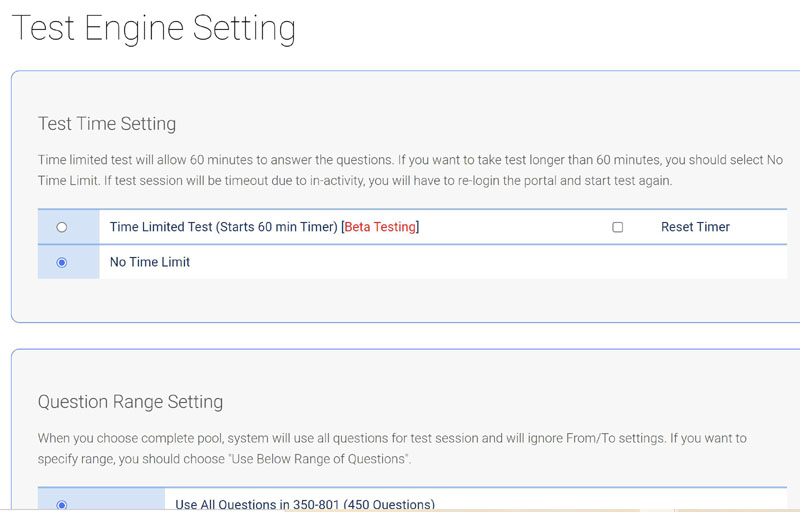
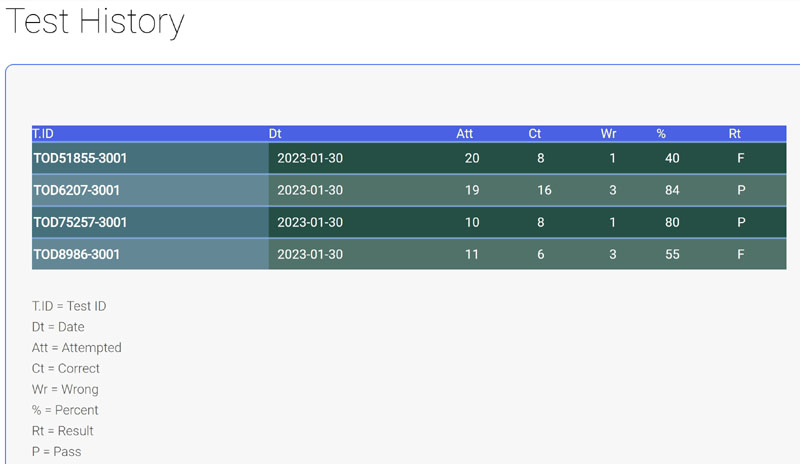
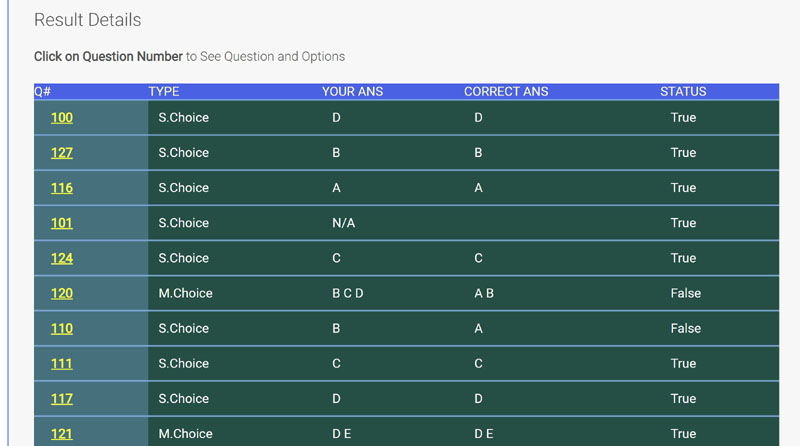
Even if you have thoroughly studied all the QlikView-System-Administrator course books, the questions in actual exams can be significantly different. Our QlikView-System-Administrator test prep materials include all the unique questions and answers that are not covered in traditional course books. By practicing with the QlikView-System-Administrator VCE test system, you will build the confidence needed to excel in the genuine QlikView-System-Administrator test. Our comprehensive resources ensure you are well-prepared for any question that may arise, enhancing your chances of success.
Master the QlikView-System-Administrator Exam with 2026-Optimized Preparation Materials In 2026, the QlikView-System-Administrator exam underwent significant changes and upgrades—all of which we have meticulously incorporated into our premium pdf study guide. When you choose our 2026-updated QlikView-System-Administrator preparation materials, you gain access to: ✔ The most current exam content – perfectly aligned with the latest test format ✔ A proven success formula – our materials guarantee outstanding results ✔ Comprehensive knowledge enhancement – preparing you for real-world professional challenges We strongly advise reviewing our complete QlikView-System-Administrator question bank at least once before attempting the actual exam. Unlike ordinary MCQs, our QlikView-System-Administrator practice questions delivers dual benefits: Exam success assurance – pass with confidence Practical skill development – become workplace-ready Your Career Transformation Starts Here For candidates aiming to: ✅ Pass the challenging Qlik QlikView-System-Administrator exam ✅ Land high-paying positions in their field ✅ Gain authentic professional competence killexams.com offers the ultimate solution: 2026-valid QlikView-System-Administrator exam questions collected by industry specialists QlikView System Administrator Certification exam format preparation for guaranteed success Latest question updates with every download 100% refund guarantee for your peace of mind Warning About Free Resources While the internet floods with so-called "free MCQs," only our 2026-updated QlikView-System-Administrator test prep questions provides: Verified accuracy Current exam relevance Professional readiness Act Now with Exclusive Savings Register today at killexams.com using our special discount coupons to access: Authentic QlikView-System-Administrator exam questions Continuous updates Career-changing results Why settle for outdated materials when 2026 success demands current preparation? Trust the platform that has helped professionals excel for over a decade.
QlikView-System-Administrator Practice Questions, QlikView-System-Administrator study guides, QlikView-System-Administrator Questions and Answers, QlikView-System-Administrator Free PDF, QlikView-System-Administrator TestPrep, Pass4sure QlikView-System-Administrator, QlikView-System-Administrator Practice Test, Download QlikView-System-Administrator Practice Questions, Free QlikView-System-Administrator pdf, QlikView-System-Administrator Question Bank, QlikView-System-Administrator Real Questions, QlikView-System-Administrator Mock Test, QlikView-System-Administrator Bootcamp, QlikView-System-Administrator Download, QlikView-System-Administrator VCE, QlikView-System-Administrator Test Engine
With only a week to prepare for the QlikView-System-Administrator exam, killexams.com Questions and Answers were a lifesaver. Their concise exam questions responses allowed quick reference, transforming my preparation and helping me pass with confidence despite the tight timeline.
Martha nods [2026-4-26]
The first time I used Killexams.com for my QlikView-System-Administrator exam practice, I did not know what to expect. However, I was pleasantly surprised by the exam simulator/practice test, which worked perfectly, with valid questions that resembled the actual exam questions. I passed with high marks and was left with a positive impression. I highly recommend Killexams.com to my colleagues.
Lee [2026-6-26]
After struggling with various books, I found killexams.com QlikView-System-Administrator exam guide, which explained complex topics in simple language. The well-prepared questions and answers helped me score 89% on the exam, exceeding my expectations. I am grateful for their excellent guidance and highly recommend their resources.
Richard [2026-6-7]
More QlikView-System-Administrator testimonials...
Which is the best TestPrep website?
Of course, the best QlikView-System-Administrator brainpractice questions website is killexams.com. It offers the latest and up-to-date exam questions and answers to memorize and pass the exam on the first attempt.
Of course, Killexams is completely legit together with fully reliable. There are several includes that makes killexams.com reliable and legitimized. It provides up to date and hundred percent valid exam dumps formulated with real exams questions and answers. Price is surprisingly low as compared to a lot of the services on internet. The questions and answers are updated on regular basis utilizing most recent brain dumps. Killexams account set up and supplement delivery is extremely fast. Data file downloading is actually unlimited and extremely fast. Help is available via Livechat and E mail. These are the features that makes killexams.com a strong website offering exam dumps with real exams questions.
QlikView-System-Administrator - QlikView System Administrator Certification Real Exam Questions
QlikView-System-Administrator - QlikView System Administrator Certification teaching
QlikView-System-Administrator - QlikView System Administrator Certification learning
QlikView-System-Administrator - QlikView System Administrator Certification outline
QlikView-System-Administrator - QlikView System Administrator Certification Exam Braindumps
QlikView-System-Administrator - QlikView System Administrator Certification Test Prep
QlikView-System-Administrator - QlikView System Administrator Certification information hunger
QlikView-System-Administrator - QlikView System Administrator Certification information search
QlikView-System-Administrator - QlikView System Administrator Certification learn
QlikView-System-Administrator - QlikView System Administrator Certification Question Bank
QlikView-System-Administrator - QlikView System Administrator Certification Latest Questions
QlikView-System-Administrator - QlikView System Administrator Certification testing
QlikView-System-Administrator - QlikView System Administrator Certification Question Bank
QlikView-System-Administrator - QlikView System Administrator Certification guide
QlikView-System-Administrator - QlikView System Administrator Certification exam dumps
QlikView-System-Administrator - QlikView System Administrator Certification Cheatsheet
QlikView-System-Administrator - QlikView System Administrator Certification information search
QlikView-System-Administrator - QlikView System Administrator Certification information source
QlikView-System-Administrator - QlikView System Administrator Certification Latest Questions
QlikView-System-Administrator - QlikView System Administrator Certification boot camp
QlikView-System-Administrator - QlikView System Administrator Certification PDF Questions
QlikView-System-Administrator - QlikView System Administrator Certification Exam Questions
QlikView-System-Administrator - QlikView System Administrator Certification Practice Test
QlikView-System-Administrator - QlikView System Administrator Certification cheat sheet
QlikView-System-Administrator - QlikView System Administrator Certification Questions and Answers
QlikView-System-Administrator - QlikView System Administrator Certification book
QlikView-System-Administrator - QlikView System Administrator Certification real questions
QlikView-System-Administrator - QlikView System Administrator Certification learn
QlikView-System-Administrator - QlikView System Administrator Certification PDF Dumps
QlikView-System-Administrator - QlikView System Administrator Certification test
QlikView-System-Administrator - QlikView System Administrator Certification Practice Questions
QlikView-System-Administrator - QlikView System Administrator Certification guide
QlikView-System-Administrator - QlikView System Administrator Certification outline
QlikView-System-Administrator - QlikView System Administrator Certification cheat sheet
QlikView-System-Administrator - QlikView System Administrator Certification PDF Download
QlikView-System-Administrator - QlikView System Administrator Certification certification
QlikView-System-Administrator - QlikView System Administrator Certification education
QlikView-System-Administrator - QlikView System Administrator Certification testing
QlikView-System-Administrator - QlikView System Administrator Certification boot camp
QlikView-System-Administrator - QlikView System Administrator Certification Exam Questions
QlikView-System-Administrator - QlikView System Administrator Certification Exam Questions
QlikView-System-Administrator - QlikView System Administrator Certification exam syllabus
QlikView-System-Administrator - QlikView System Administrator Certification study help
QlikView-System-Administrator - QlikView System Administrator Certification exam format
Prepare smarter and pass your exams on the first attempt with Killexams.com – the trusted source for authentic exam questions and answers. We provide updated and verified practice test questions, study guides, and PDF exam dumps that match the actual exam format. Unlike many other websites that resell outdated material, Killexams.com ensures daily updates and accurate content written and reviewed by certified experts.
Download real exam questions in PDF format instantly and start preparing right away. With our Premium Membership, you get secure login access delivered to your email within minutes, giving you unlimited downloads of the latest questions and answers. For a real exam-like experience, practice with our VCE Exam Simulator, track your progress, and build 100% exam readiness.
Join thousands of successful candidates who trust Killexams.com for reliable exam preparation. Sign up today, access updated materials, and boost your chances of passing your exam on the first try!
Below are some important links for test taking candidates
Medical Exams
Financial Exams
Language Exams
Entrance Tests
Healthcare Exams
Quality Assurance Exams
Project Management Exams
Teacher Qualification Exams
Banking Exams
Request an Exam
Search Any Exam